
What were you doing a year ago today, five years ago, ten? Most photos are never seen again after they are taken. On This Day brings the shots from today’s date to the front of your library. It is a nice way to remember and at the same time the best moment to tidy up, because looking back you know right away what means something to you and what doesn’t. The feature is free.
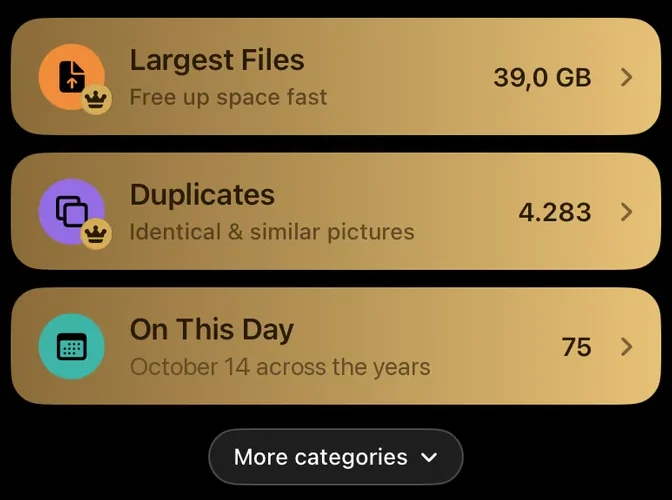
What On This Day shows
On the home screen, On This Day shows today’s date, such as “October 14 across the years”, and the number of photos and videos. PhotoDelete gathers everything taken on this calendar day over the last 20 years, including today.
How the look back works
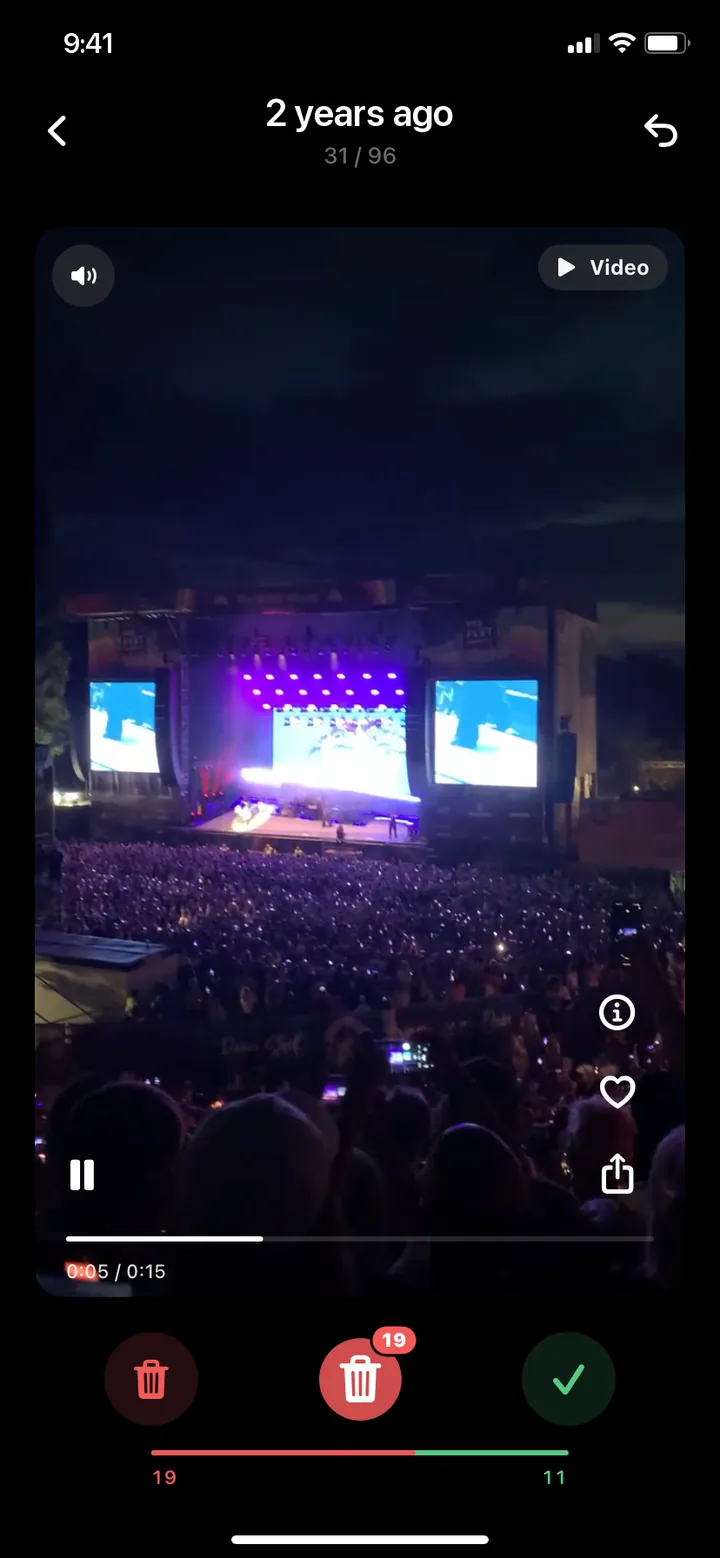
- On the home screen, tap On This Day.
- Shots are ordered by year, the most recent year first. Within a day you see them in the order they were taken.
- The top shows how long ago it was, such as “2 years ago”, and below it which photo you are on.
- Swipe left to delete and right to keep. Videos play right on the card.
- Review your selection and delete it in one go.

The same rules apply as when swiping by month: every swipe can be undone, your progress is saved, and nothing is deleted until you review it.
A new selection every day
Tomorrow is another day with other memories. Every day a small, manageable part of your library comes up, without having to tackle a whole month. Look back for a few minutes every day, and after a year you have seen your whole library once.
If there are no photos on a date, PhotoDelete tells you, and tomorrow it continues. When you have gone through everything from today, you can go through the day again from the start.
Remembering and tidying up in one
Looking back, you notice right away what can go: five similar photos of the same evening, blurry shots, old screenshots, a video that only shows the floor. That is exactly when the decision is easy.
What matters to you, you don’t just keep, you highlight:
- Favorite: the heart on the card marks the photo as a favorite in your library.
- Share: send the moment right from the card to the people who were there.

Find photos from one year ago today in the Photos app
Apple does not describe a view in the Photos app that shows all photos from today’s date across every year together. You can still find the days by hand with search:
- Open the Photos app and tap the magnifying glass at the bottom right.
- Type a month and year, such as May 2024, and tap the suggestion.
- Swipe up to see all results and scroll to today’s day.
- Repeat the search for every other year.
Under Collections → Memories, the Photos app also puts collections together automatically. According to Apple, they are about people, pets, places, activities or events. If you want to see today’s date across all years, On This Day in PhotoDelete makes it easier: one tap, and every year comes up one after the other.
A reminder for your memories
If you like, PhotoDelete reminds you with a notification, such as “On this day, over the years: see what you photographed on this day”. Under Notifications in the settings you set the time and frequency per week. Notifications only arrive when you haven’t been around for a while and can be turned off at any time.
