PhotoDeleteDelete photos & free up iPhone storage
Clean up your iPhone camera roll with a simple swipe. Find your largest files, duplicate photos and old videos and free up lots of storage in minutes.
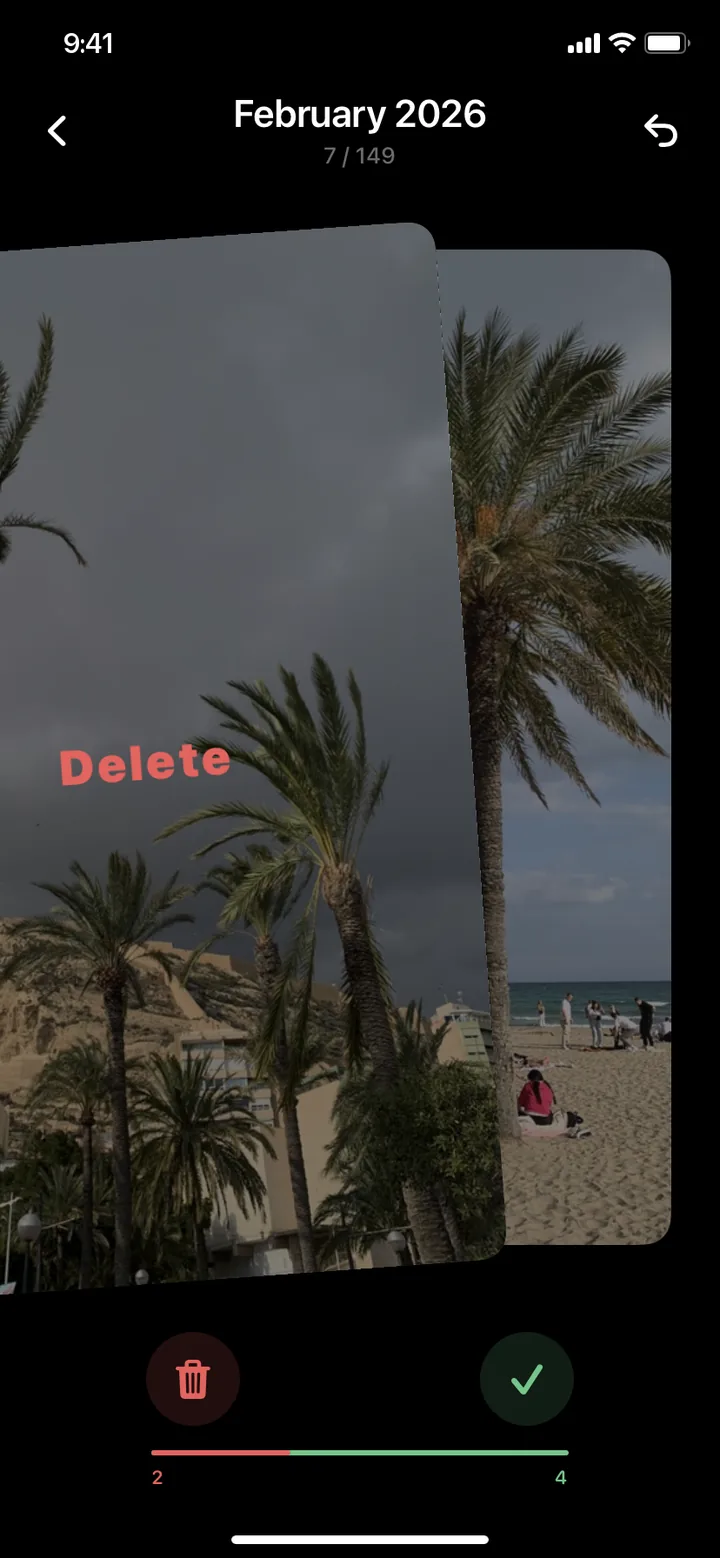
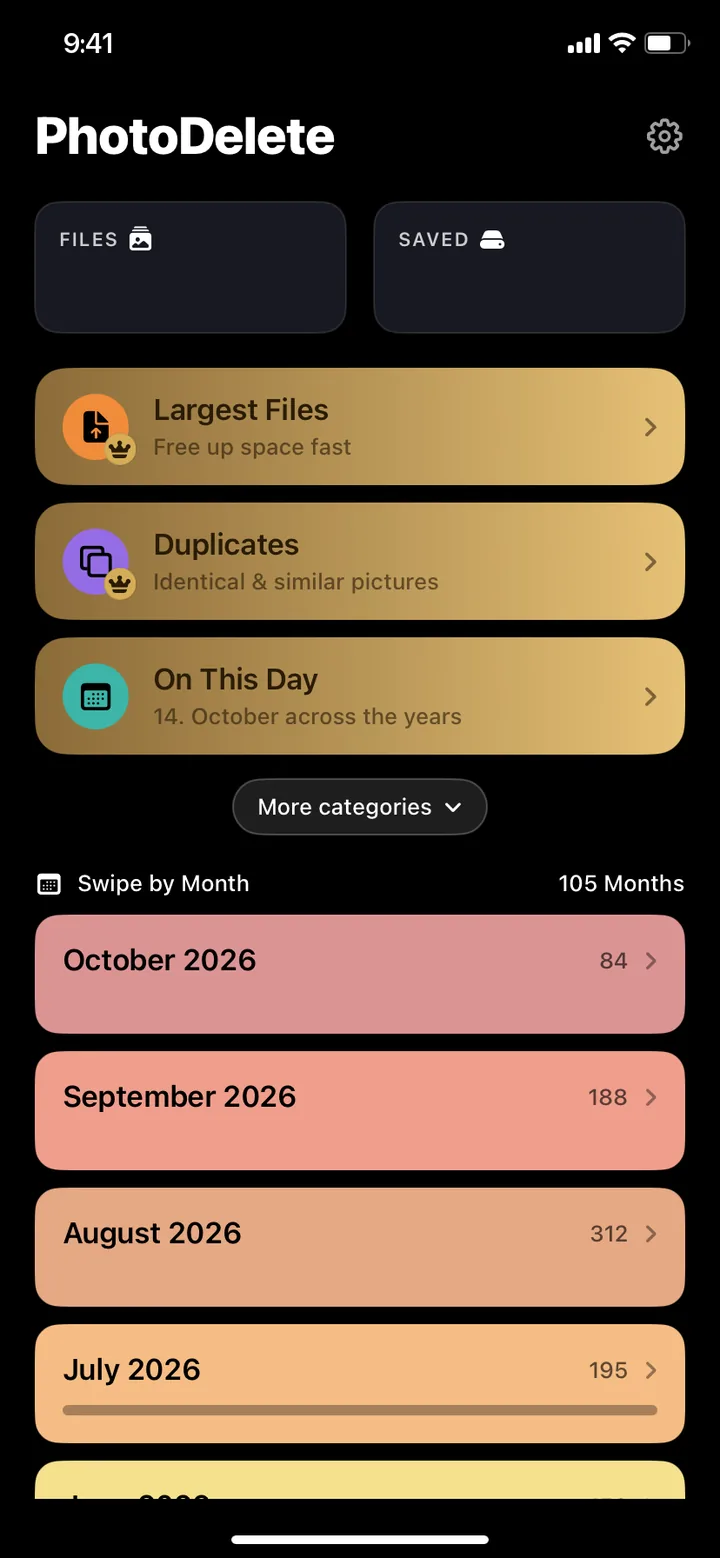
Swipe to delete photos
Left to delete.
Right to keep.
1. Pick a month or category
Start with a month or On This Day, your memories from today's date in past years. If you like, you can unlock Pro to get access to every category: largest files, duplicates and similar photos, plus videos, screenshots and Live Photos.
2. Swipe left or right
Left deletes, right keeps. Tap undo if you change your mind. It's a quick and easy way to sort through your camera roll.
3. Review and free up storage
Check your selection before anything is deleted. Afterwards, see how much storage you've freed up. Deleted photos stay in Recently Deleted for 30 days.
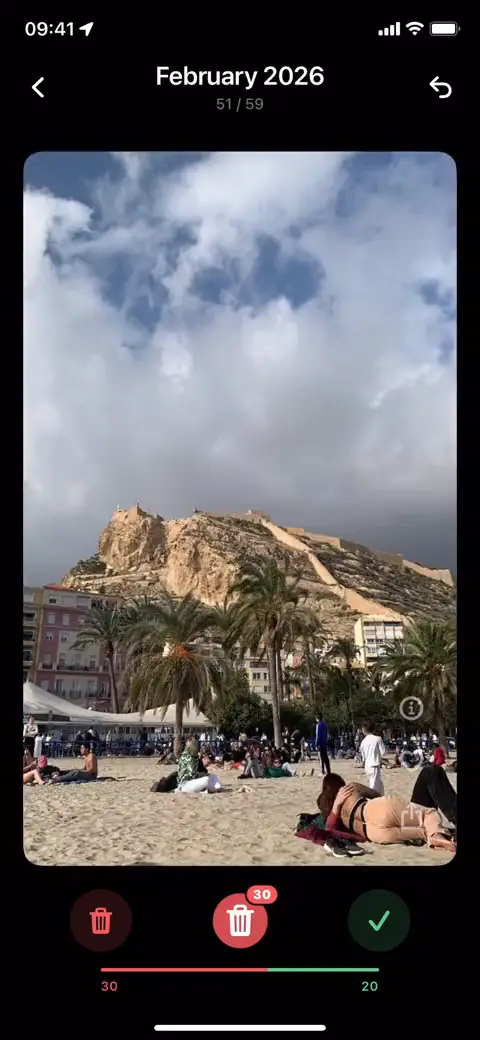
Largest filesPro
Gigabytes freed
in minutes.
Find large videos and photos on your iPhone without searching your entire camera roll. Largest Files sorts your photos and videos by file size, biggest first. Review them and delete what you no longer need when your iPhone storage is full.
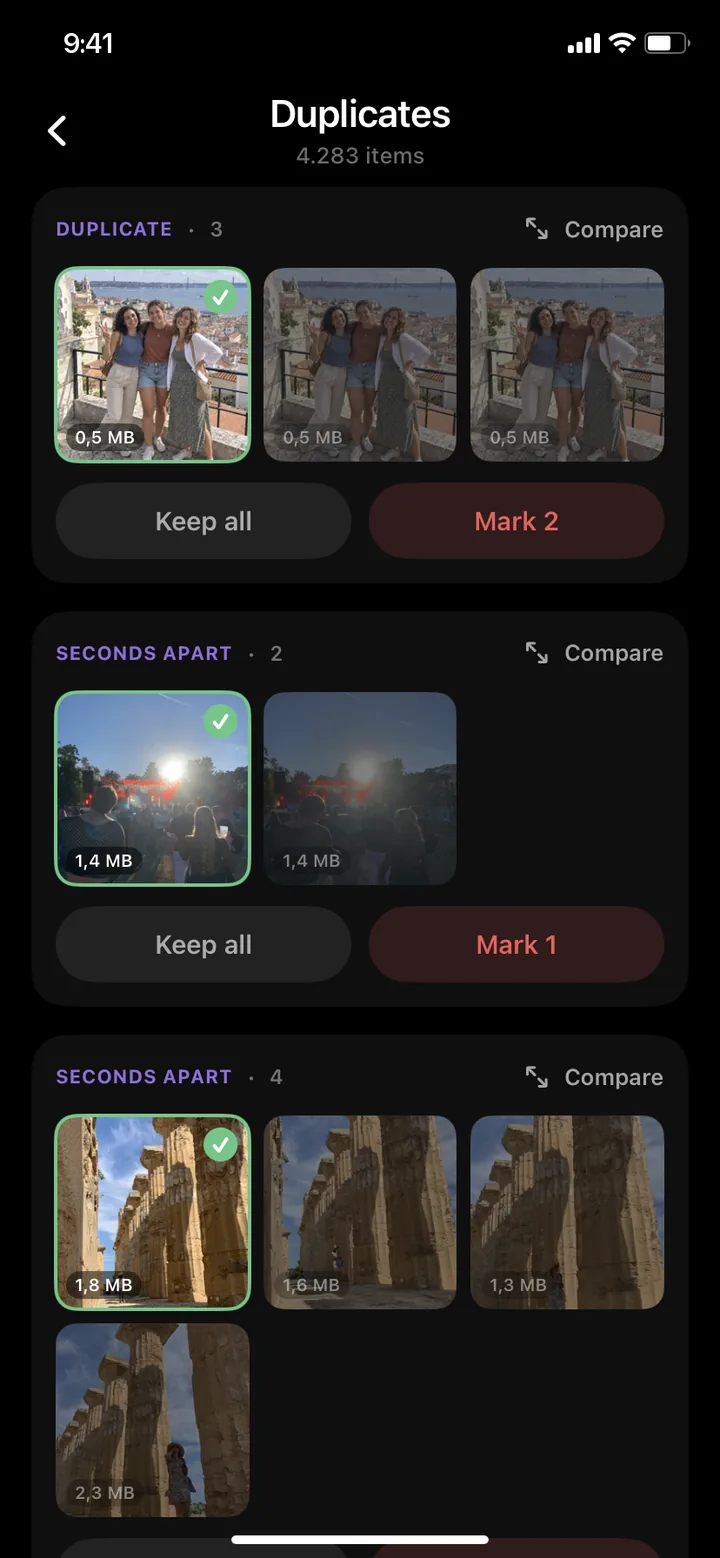
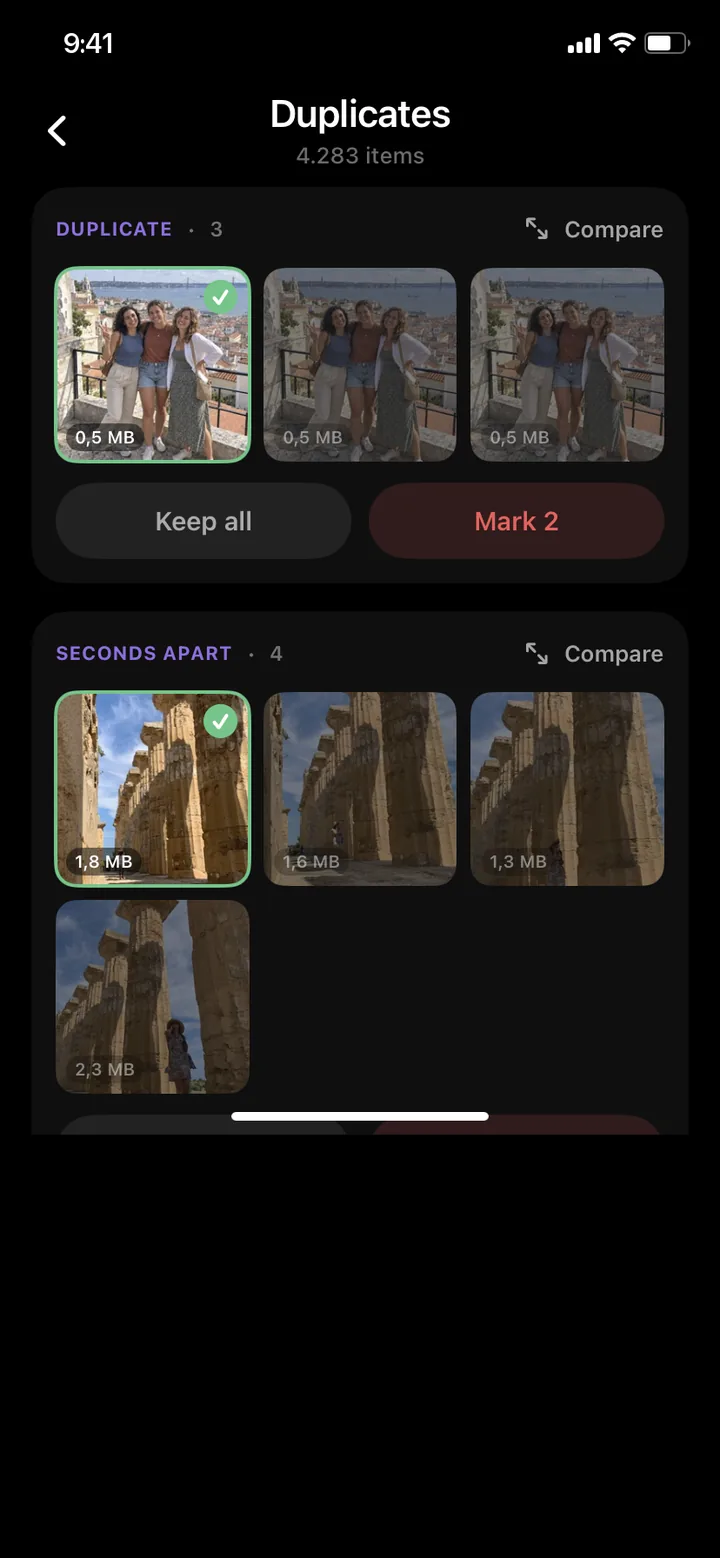
DuplicatesPro
Find duplicate photos.
Keep the best one.
PhotoDelete groups duplicates, similar photos and burst shots automatically. You check which photos you want to keep and delete the rest with one tap.
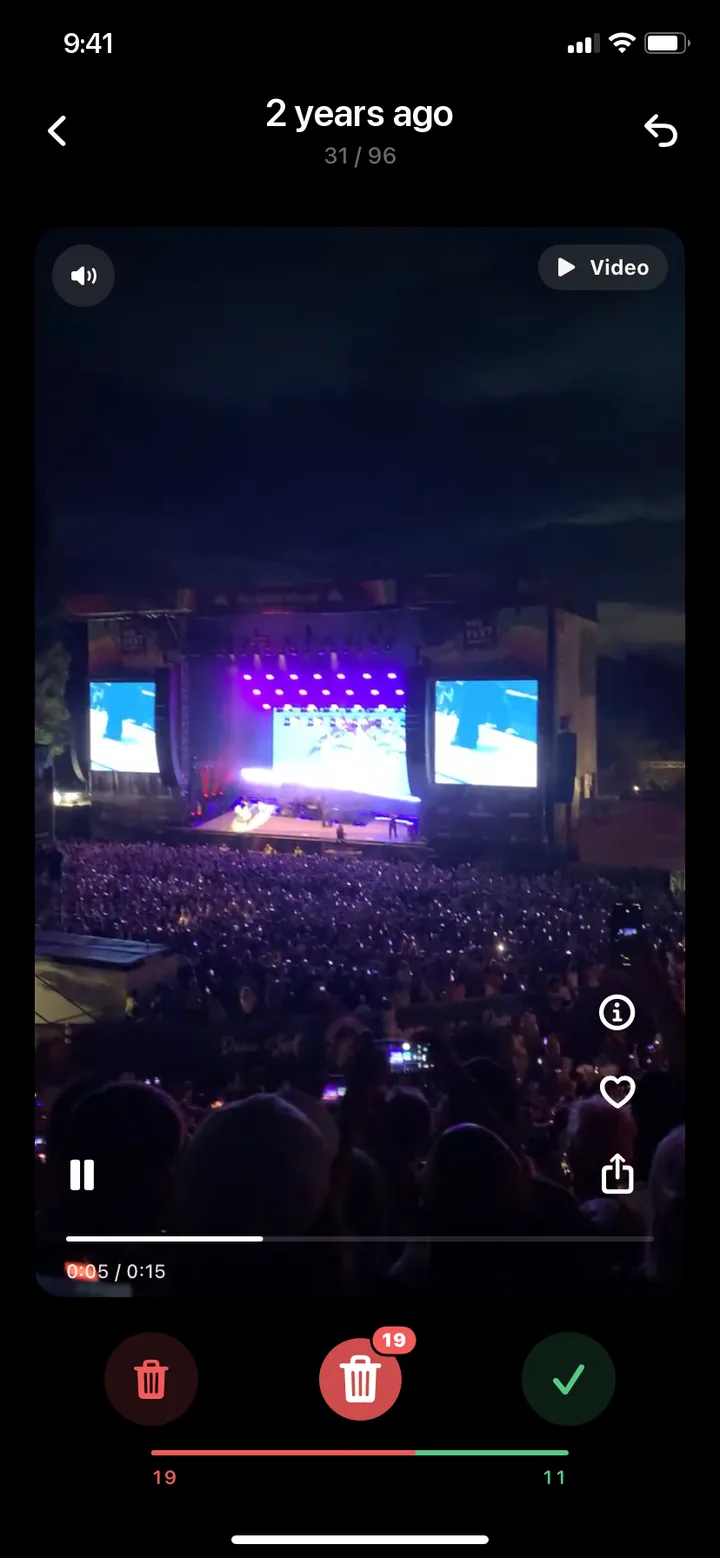
On This DayFree
Rediscover memories.
Tidy up as you go.
See what happened one, two or ten years ago today. Keep your favorite moments and delete what you no longer need.
Why PhotoDelete
More than just cleaning up.
No ads at all
No banners, no video ads, no interruptions. Neither in the free version nor in Pro.
Memories and months
On This Day shows what happened on today's date in past years. Or go through your library month by month and track your progress.
Organize photos into albums
Add photos and videos to an album while swiping instead of just keeping them.
Safe and private
Your photos never leave your iPhone.
Everything stays local
PhotoDelete runs entirely and securely on your iPhone. Your photos and videos are sorted right on the device.
You stay in control
Nothing is deleted without your confirmation. You review your selection first, and every swipe can be undone.
Restorable for 30 days
Deleted photos and videos go to Recently Deleted first. You can restore them there for 30 days.
Reviews
What users say
13 ratings of the iPhone app on the App Store worldwide
as of October 2026
Brilliant!
I've been looking for an app like this forever! Simply sort out photos by swiping, super intuitive and it makes cleaning up the gallery much easier. The app also looks really good, can be used for free and the premium subscription is affordable and worth it. Clear recommendation!!
Top app - simple and safe
I've really looked at quite a few apps in this category and I have to say I like this one best. […] everything stays local, the pictures aren't pulled, the price is really fair (will probably upgrade) and all in all it's very clear and easy to use. Thumbs up👍
Finally!
Finally bringing order to the chaos in my gallery!! Very clear and easy to use, upgrading to Premium is definitely worth it!
Cool and simple
Cool, clear design, quick cleanup
Very Convenient
Super Convenient to delete the photos n videos
Great
Good app! Does what it should and is very intuitive! 😊
Reviews are taken from the German Apple App Store. Translations and shortenings are marked. On the App Store, only people who downloaded the app with their Apple Account can rate it. We do not verify reviews ourselves.
FAQ
Frequently asked questions
How do I delete lots of photos on my iPhone quickly?
Use the PhotoDelete photo cleaner app to sort through your iPhone photos and videos with a swipe: left to mark for deletion, right to keep. Review your camera roll month by month or by category, check your selection, and confirm to delete multiple photos at once.
iPhone storage full: how do I free up space?
Photos and videos usually take up the most space. Start with Largest Files in PhotoDelete Pro: your photos and videos are sorted by file size. Then review duplicates and old screenshots. Deleted items first go to Recently Deleted.
Why is my iPhone storage still full after deleting photos?
Deleted photos and videos stay in Recently Deleted for up to 30 days. You can permanently delete them there sooner, but you won't be able to recover them afterwards. How much iPhone storage this frees up also depends on your iCloud Photos settings.
How do I sort iPhone photos by size?
In PhotoDelete Pro, the Largest Files category shows your photos and videos sorted by size, largest first. You instantly see what takes up the most storage.
Is PhotoDelete free?
There is a free version with a limited number of swipes that refill after a cooldown, and no ads at all. PhotoDelete Pro gives you unlimited swipes and access to the most powerful categories: Largest Files, Duplicates, Videos, Screenshots and Live Photos. Pro is available as a weekly or yearly subscription.
Are my photos uploaded?
No. PhotoDelete works entirely on your iPhone. Your photos and videos are never uploaded to a server, there is no account and no ad tracking.
Can I restore deleted photos?
Yes. Nothing is deleted while you swipe. You first review your selection, and you can undo any swipe. After deleting, photos and videos stay in the Recently Deleted album of the Photos app for 30 days and can be restored there.
How can I delete duplicate and similar photos on my iPhone?
Open Duplicates in PhotoDelete Pro. The app groups duplicates, similar photos and burst shots automatically. Similar photos show a similar subject but are not necessarily identical files. You check which photos you want to keep and confirm which ones you want to delete.
How do I delete old screenshots on my iPhone?
Open Screenshots in PhotoDelete Pro. Swipe through your screenshots, mark the ones you no longer need for deletion, and review your selection. The selected screenshots are only deleted after you confirm.
Does PhotoDelete work with iCloud Photos?
Yes. PhotoDelete works with your regular Photos library. If iCloud Photos is turned on, photos you delete are removed from all your devices and stay in Recently Deleted for 30 days.
Which devices are supported?
PhotoDelete runs on iPhone with iOS 16 or later.
How is PhotoDelete different from the Photos app?
The Photos app is made for viewing. PhotoDelete is made for cleaning up: one swipe per decision, your largest files sorted by size, similar photos grouped together, progress for every month and statistics on how much storage you have freed.
Which languages does PhotoDelete support?
PhotoDelete is available in English, German, French and Spanish.
How do I cancel PhotoDelete Pro?
Open Settings on your iPhone, tap your name, then Subscriptions, and select PhotoDelete. You can cancel there at any time, and Pro stays active until the end of the current period.

Your camera roll, finally cleaned up
Download PhotoDelete for iPhone and clean up your camera roll with a swipe.